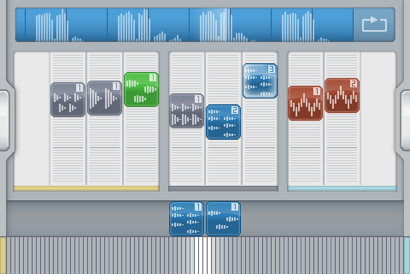
These are our choices for best iOS Daw packages available for iPad and iPhone. Feel free to comment and tell us more!

Garageband by Apple Price $4.99
AudioBus Support = YES
iPad Loops says “An Amazing Deal! Best Bang For The Buck”
Arguably the best iOS DAW for the price. GarageBand turns your iPad into a collection of Touch Instruments and a full-featured recording studio — so you can make music anywhere you go. Use Multi-Touch gestures to play pianos, organs, guitars, drums, and basses on your iPad. They sound and play like their counterparts, but let you do things you could never do on a real instrument. Enjoy a full range of Smart Instruments that make you sound like a pro — even if you’ve never played a note before. Plug an electric guitar into your iPad and play through classic amps and stompbox effects. Use the built-in microphone or a guitar to record, or capture any performance. Then mix up to eight tracks to create a song you can share.

Features:
Play your iPad like a musical instrument.
• Perform on dozens of musical instruments on the innovative Multi-Touch keyboard.
• Tap out beats from the seat of acoustic and electronic drum kits.
• Recreate legendary guitar rigs on your iPad with 9 amps and 10 stompbox effects.
• Record your voice using the built-in microphone, and apply fun sound effects.
• Use the Sampler to create an instrument from sounds you record, then play them on a keyboard.
Sound like a virtuoso with Smart Instruments.
• Tap chords to instantly create keyboard grooves with the Smart Keyboard.
• Strum chords on acoustic and electric Smart Guitars, or trigger fingerpicking patterns for popular chords.
• Groove with an onscreen electric or upright Smart Bass by tapping on chords.
• Drag drum instruments onto a grid to create your own beats with the Smart Drums.
Create a song anywhere you go.
• Arrange and mix your song with up to eight tracks using Touch Instruments, audio recordings, and loops.
• Trim and place musical regions exactly where you want them to play.
• Use the Mixer to fine-tune each track’s volume – solo or mute any track, or adjust pan, reverb, and echo.
• Use over 250 professionally prerecorded loops as a backing band to your song.
• Import your own loops or third party loops.
Share your songs.
• Email songs right from your iPad (AAC).
• Export your song and add it to the iTunes library on your Mac or PC.
• Send a project to your Mac and open it in GarageBand to continue refining your song.
Best iOS DAW for the lowest price
Get Garageband Here
________________________________

Cubasis 2 by Steinberg Price $49.99
AudioBus Support = YES
iPad Loops says “A powerful Daw with great features by a name you can trust.”
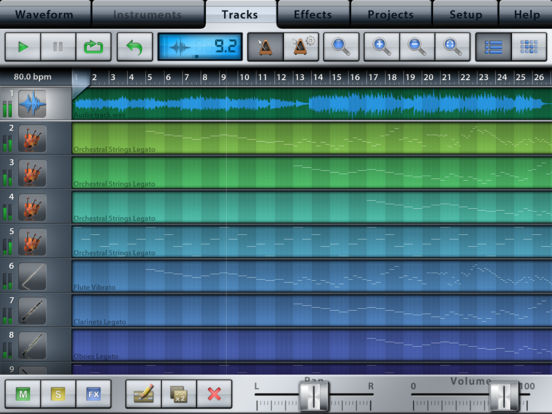
Arguably the best iOS DAW for functionality. Cubasis 2 equals ease of use and is as powerful as a fully featured iOS-based music production system can be pushing your capabilities out of limits. Whether you’re capturing simple ideas or complex musical masterpieces — It ships with outstanding, touch-optimized tools carrying you into the fun of recording, editing, mixing and sharing your music with the world right away. Get fascinated by the brand new features that Cubasis 2 comes with such as real-time time-stretching and pitch-shifting, a studio-grade channel strip, pro-sounding effects, massive instrument refills, a refreshed MIDI Editor and many more powerful features. Put hands on three internal instruments, numerous loops and instrument sounds to creatively lift your music to perfection using the included mixer and effects. Once recorded, share your music with the world via a simple tap or transfer it directly to Cubase

Key features
• Unlimited number of audio and MIDI tracks
• 24 assignable physical inputs and outputs
• 32-bit floating point audio engine
• Audio I/O resolution of up to 24-bit/96 kHz
• iOS 32- and 64-bit support
• Real-time time-stretching and pitch-shifting featuring zplane’s élastique 3
• Micrologue virtual analog synthesizer with 126 ready-to-go presets
• MicroSonic with over 120 virtual instrument sounds based on HALion Sonic, HALiotron and Allen Morgan drum kits
• MiniSampler to create your own instruments (includes 20 factory instruments)
• Mixer with studio-grade channel strip per track and 17 effect processors
• Super-versatile RoomWorks SE* reverb effect providing uniquely professional sound and an intuitive graphical display for instant visual feedback at slightest parameter changes
• Fully automatable DJ-like Spin FX effect plug-in
• Over 550 MIDI and time-stretch-capable audio loops
• Virtual keyboard, chord and drum pads
• Sample Editor and Key Editor with MIDI CC support
• Refreshed MIDI Editor with ultra-intuitive, lightning fast and accurate handling to edit MIDI tracks and compose music easier than ever before
• MIDI Auto Quantize
• Automation, MIDI CC, program change and aftertouch support
• Export to Cubase, iCloud Drive, external hard drives, wireless flash drives, Dropbox, SoundCloud, AudioCopy and email
• Core Audio and Core MIDI compatible hardware supported
• MIDI over Bluetooth LE support
• Full Audio Unit, Inter-App Audio and Audiobus 3 support to use compatible apps as insert/send effects and virtual instruments or simply record their audio output
• Import audio from your iTunes music library or iCloud Drive or iTunes file sharing, use AudioPaste or set up a Wi-Fi server in Cubasis
• Audio mixdown and MIDI export
• MIDI clock and MIDI thru support
*iPad 4 recommended for 96kHz recording
What’s New in Version 2.1
• Audiobus 3 support — Connect your favorite MIDI controller and filter apps, and enjoy seamless workflows
• MIDI Editor refresh — Quickly edit your MIDI tracks and creatively compose, sustained by most accurate tools and ultra-intuitive interface design
• RoomWorks SE* — Utilize the powerful reverb effect delivering pro-quality sounds that enrich your tracks with shine and extra sparkle
• Over 40 improvements — Experience utmost performance paired with rock-solid stability
For a complete list of improvements, issues and solutions please visit www.steinberg.net/cubasis.
We hope you find the latest feature additions useful.
If you like Cubasis, please support us by rating this app in the App Store! Thank you.
*User registration required to unlock RoomWorks SE reverb effect.
Get Cubasis Here
________________________________

MultiTrack DAW by Harmonicdog http://www.harmonicdog.com/
AudioBus Support = YES
iPad Loops says this one is the “Nice Solid App” – PRICE: $9.99
Good but maybe not the best iOS DAW. You tell us. MultiTrack DAW is a powerful audio recorder and audio editor for the iPhone, iPod touch, and iPad. It provides up to 24 stereo tracks of CD quality audio, and the ability to playback all of those tracks simultaneously, while recording in stereo. MultiTrack also provides a suite of editing tools at your fingertips.
What’s New:
Supports AudioBus
Record up to 8 tracks simultaneously on iPad with supported hardware.
Reverb – A sweet and configurable reverb has been added as a bus effect. It consists of 16 comb filters and 8 allpass filters and is hand optimized in assembly for Arm NEON (3GS and later).
Stereo Delay – A highly flexible stereo delay with independent left and right controls, swing parameters and tempo synchronization.
Master FX: The same EQ and Compression available on each track is now available as a Master effect, for mastering of a final mixdown.
Ability to re-order master & bus effects (drag the tabs left/right).
All signal paths have been hand optimized in assembly for Arm NEON (3GS and later), using 32 bit floating point precision.
These are free updates, no in-app purchase required. Thank you for being a MultiTrack customer.

Features:
8 stereo audio tracks, upgradable to 24.
Up to 24 bit / 96kHz, professional quality sound for each track.
Inter-App Audio – Generators, Instruments, and Effects supported.
Audiobus 2.0 – Can be used as a sender for any track or master out. Supports saving and restoring state.
Non-linear, non-destructive editing using Regions and Bins.
Per track Compressor and EQ (2 bands parametric, 2 bands shelving)
Sweet Reverb and configurable stereo Delay available as bus effects.
Supports up to 16 inputs simultaneously (USB hardware required)
Grid View with Snap to easily align regions.
Metronome adjustable from 40 to 240 BPM
Time Signatures (2/2, 2/4, 3/4, 4/4, 5/4, 7/4, 6/8, 7/8, 9/8, and 12/8)
Ruler showing bars/beats/divisions/ticks or timecode.
Individual controls for volume, pan, mute and solo.
Volume faders have +12db of gain boost.
Fade in and out per region (editable fade points)
Input selection allows splitting stereo input onto 2 mono tracks.
Ability to monitor the input signal with effects.
Opens email attachments or audio on web pages (mp3, m4a, AAC, wav, aif, ogg)
Bounce Regions using multi-region copy and paste.
Looping with the Loop Markers.
Hotbox popup control with context sensitive buttons.
Audio Browser allows preview of audio files in the song.
Snap, Punch, Input Monitor, Auto Input, Undo and Redo, and many more features.
Smart Snap displays red vertical lines with exact snapping placement, snaps to any other region or ruler line.
MORE FEATURES
Beautifully rendered waveforms at multiple zoom levels.
Low latency VU meters for each track.
32 bit / 64 bit audio processing.
Multi-touch pinch/zoom support.
Unified Copy/Paste system means internal copying works in other apps.
Latency compensation with selectable buffer sizes.
Recorded material perfectly synced with other tracks.
Fades use quadratic interpolation in dB space.
Fully Bit Transparent when faders set to 0dB.
Zip compression of song projects for backup/restore.
Native iPad support (landscape and portrait, up to 11 tracks visible)
USB Audio using Camera Connection Kit or Lightning to USB Camera Adapter.
Wav, Ogg, and m4a compression for Wi-Fi download, mixdown, email attachments, and SoundCloud upload.
GET MultiTrack DAW HERE
________________________________

AudioBus Support = YES
Meteor by 4pockets: PRICE $19.99
http://www.4pocketsaudio.com
iPad Loops says ” A bit steep on price but powerful and stable”
Meteor is a digital multi-track recorder designed specifically for the iPad. The program features up to 12 tracks of high quality Stereo, Mono and MIDI audio, a built in mixer and multi-effects processor. Meteor is ideally suited for creating musical compositions, and also a great tool for journalists and business people who need to splice and piece together voice notes, narration or dictation. Compositions once mixed can be exported to standard file formats for use on your desktop PC or MAC.
Meteor includes a fully featured sound editor allowing recordings and Stereo Sounds from other Apps to be trimmed or spliced together. You can apply various effects to your recordings either directly, as part of the recording process or in real time during playback. Editor features include cut, copy, paste, fade in/out. clear, reverse, gain, normalize, remove DC offset, time stretch and pitch shift. Effects include digital delay, chorus / flanger, reverb, graphic equalizer, noise gate, tremelo, tone boost, compressor (with side chaining) and distortion.
The Mixer and effect levels can be fully automated using definable controller tracks. An integrated metronome with count-in helps you record your masterpiece, and If 12 tracks isn’t enough there is a full stereo mixdown facility.

NEW VERSION:
The MIDI Editor available through In-App purchase allows full editing of MIDI Note and Controllers as well as Scrubbing, Step Recordings and In-Place Editing of MIDI Parts.
Increased default number of tracks from 12 to 16 and added the ability to extend it to 24 via an In-App purchase.
Added Replicate function to popup menu for duplicating large sections of a song.
Added ability to override MIDI port in prefs so a track can specify it’s own MIDI port or applications virtual MIDI port.
Added Auto Quantise feature to MIDI editor. You can now quantise MIDI notes as they are recorded.
Redesigned the mixer screen to handle more tracks and better landscape viewing.
Added support for Channel Pressure for MIDI instruments.
Major optimisation of audio mixing engine for better low latency support.
Increased the render speed of audio clips in view mode and the mixer display.
Added a note stealing algorithm to the Sampler instrument for better handling of large polyphony.
Virtual ports created by other iOS applications now show up correctly.
Fixed a bug which caused clicking on clips that use the Cross Fade function with EQ enabled.
Added the ability to change the volume level of an imported video clip.
Fixed a possible crash when mixing down to a stereo track with ‘Remove existing parts on ALL tracks’ checked.
Fixed the broken MIDI loop recording.
Fixed a bug with MIDI step recording using the virtual keyboard.
Creating a new project now clears previous track EQ settings from mixer.
Key Features:
•Record up to 24 tracks of CD quality audio
•CoreMidi Compatible.
•Multi-Effects Processor
•Integrated 12 channel Mixer
•Midi Editor
•Virtual Instruments
•Sound Cloud
•Sonoma Pasteboard
•Import, Export, Email Midi Files
•The ability to Record & Play Midi Tracks and Sync with External Hardware using MIDI Clock.
•Integrated Sample Editor
•The ability to split incoming stereo tracks into two mono tracks.
•Stereo Recording and Stereo Tracks complete with Pure Stereo Imports.
•Insert Stereo Effects and Stereo Channels
•3 Global Send Effect Busses
•Insert Effects with freeze facility to reduce CPU load.
•Record Effects & Record Monitor
•Mixer and Effect Automation
•PasteBoard Support
•Supports iRig/Ampkit and ios 4.2 supported USB Adapters
•Metronome
•Mixdown
•Bounce Facility
•Import samples and iPod songs.
•Export to compressed CAF and WAV formats
•Automatic Delay Compensation
•In-App Purchases through the Online Shop found in the Help Men
What’s New in Version 1.28
Added HOLD pedal support for Virtual Instruments.
MeTeoR includes a fully featured sound editor allowing recordings to be trimmed or spliced together. You can apply various effects to your recordings either directly, as part of the recording process or in real time during playback. Editor features include cut, copy, paste, fade in/out. clear, reverse, gain, normalize, remove dc offset, time stretch and apply effect. Effects include digital delay, chorus, reverb, phaser, tremolo, graphic equalizer, filter factory, pitch shifter, tone boost and noise gate.
The Mixer and effects are fully automated using definable controller tracks. An integrated metronome with count-in helps you record your masterpiece, and If 12 tracks isn’t enough there is a full stereo mixdown facility.
Note: MeTeoR uses uncompressed WAV files in order to achieve its speed. Audio data is recorded at 44.1Kb/s (CD quality) and require large amounts of storage space. It is therefore recommended that you use a high speed SD/CF card to store recorded materials. A 1GB SD card for instance will store approximately 6 hours of recordings.
Free PC Version
Registered users of the product can download a free PC version of the software which allows you to record/play/export compositions from your desktop PC.
Get MeTeor Here
________________________________

Music Studio By Alexander Gross
AudioBus Support = NO
Price $14.99 Massive amount of features. This is an amazing app.
It combines a piano keyboard, 65 studio-quality instruments with sustain, a fully fledged 127-track sequencer, extensive note editing, reverb, real-time effects and much more on a user-friendly interface. Up to 8 simultaneous tracks of audio.

FEATURES
• Photorealistic dynamically configurable 85-key keyboard
• Instant positioning via the slide gesture and resize with the pinch gesture
• Drum pads, chord pads and chord programming
• 178 studio-recorded instruments (16bit 44.1kHz sampled from real instruments)
• 118 free instruments, 60 available in the in-app shop
• 6 categories: symphonic, classical, band, electronic, world, drum kits
• Release and attack time configurable per instrument
• Sustain samples
• Pitch bend wheel and accelerometer control
• Audio tracks:
• Microphone recording
• AudioCopy & AudioPaste
• iPod library or wav/mp3/AAC/ogg file import
• Waveform and audio region editing
• Record up to 24 channels simultaneously with CoreAudio (class compliant) hardware
• Audiobus support (input & output)
• Sampler to create custom instruments and kits from audio files and recordings
• Background audio playback and recording
• Low-latency, highly optimized, 128x polyphony, battery saving audio engine
• 100 drum loops
• 10 real-time effects with lots of parameters:
Reverb, Delay, 3-Band-Equalizer, Filter, Phaser, BitCrusher, Amp, Compressor, Limiter, StereoWidener
• 127-track sequencer
• Beat & metronome settings (tempo and signature)
• Mute, solo, effect bus, pan and volume adjustment for each track
• Edit tracks, bars and even individual notes:
Draw, quantize, transpose, repeat, move, length, velocity, etc.
• MIDI import and export
• Save and load your songs and export to wav and AAC formats
• Share your songs via email, Dropbox, AudioCopy and SoundCloud
• Wi-Fi and iTunes file transfer to your computer
• Songs and MIDI files can be opened directly from Safari and Mail
• Unlimited undo and redo
• Detailed in-app help
• Play or record 2 different instruments at the same time with 2 keyboard rows
• iPhone and iPad Retina Display supported
• Compatible with: CoreMIDI (MIDI in and out), Virtual MIDI, Line 6 MIDI Mobilizer I & II, Akai SynthStation 25, iRig, iRig Mic, iRig MIDI, Yamaha i-MX1, Apogee Jam, Blue Mikey, Alesis IO Dock, iConnectMIDI, Line 6 Mobile Keys, Line 6 Mobile In, Tascam iU2 and many more.
Music Studio is available for $14.99 here
________________________________

AudioBus Support = YES
Auria and Auria Pro by WaveMachne Labs $24.99 – $49.99
Quite possibly the best iOS DAW. Definitely the most expensive. The Mac Daddy of all multi-track recorders. Recommended for new iPad owners. Expensive but worth the investment. Often compared to a mini ProTools for iPad.
What’s New in Version 1.04
– Support for multiple outputs over USB
– New plug-ins available through in-app purchase: JamUp, PSP PianoVerb2, and PSP OldTimer.
– Improved ClassicVerb

FEATURES:
• Unlimited audio tracks
• Up to 24 tracks of simultaneous recording when used with compatible USB audio interfaces (Camera Connection Kit required)
• 24-bit recording
• Vintage-inspired ChannelStrip on every channel by PSPAudioware includes Expander, Multiband EQ and Compressor
• MasterStrip on all subgroup and master channels featuring PSPAudioware BussPressor, EQ and Mastering Limiter
• 64 bit double-precision floating point mixing engine
• Third party plugin support available via in-app purchase
• MIDI Sync support with MTC Chase, MIDI Clock and MMC
• MIDI Remote Control (Mackie MCU and HUI protocol)
• Supports sample rates of 44.1KHz, 48KHz and 96KHz, at 24 bits (iPad 1 only 44.1KHz and 48KHz)
• AAF import and export allows transferring complete sessions between popular DAWs like Logic, Pro Tools, Nuendo, Samplitude and others
• Convolution reverb plugin with included IR library by MoReVoX
• ClassicVerb reverb plugin included
• StereoDelay and StereoChorus plugins included
• 8 assignable subgroups and 2 aux sends
• Time Stretching using ZTX technology
• Real-time audio scrubbing
• Ripple Edit mode
• Tempo sync and side chain support for plug-ins
• Powerful waveform editor with features like cut/copy/paste, crossfade, duplicate, separate, gain, normalize, dc offset, reverse, and more
• Flexible snapping tools allow snapping to events, cursor, bars, beats and more
• DropBox, SoundCloud and Audio Copy/Paste support
• Inter-app Audio support (IAA)
• Audiobus support
• Track freeze for minimizing CPU usage
• Full automation support on all controls with graphical editing
• True 100mm faders when used in Portrait Mode
• Adjustable pan law
• Optional video import feature allows sample accurate sync of video to an Auria project
• Timeline ruler options include minutes:seconds, bars:beats, samples and SMPTE time
• Auto-punch mode
• WIST support for wireless syncing of other compatible music apps
• AuriaLink allows two iPads running Auria to play and record in sync, allowing for 96 tracks of playback and 48 tracks of recording
• Full delay compensation on all tracks, subgroups, and aux sends
• Adjustable metering modes, including pre or post fader, RMS and peak
• Sample accurate loop function
• Automatic sample rate conversion
• Built-in metronome
THERE IS ALSO AURIA PRO AVAILABLE.
Auria is available for $24.99 for a limited time
________________________________

AudioBus Support = YES
n-Track Multi-track Studio Price $7.99
May not be the best iOS DAW but it does have a following. n-Track Studio is an audio and MIDI multitrack recorder that turns your iPhone, iPad or iPod touch into a full-fledged recording studio. You can record and playback a virtually unlimited number of audio and MIDI tracks, mix them during playback and add effects.
You can also edit, cut, copy and paste, zoom and drag waveforms.
All the audio tracks are saved as standard wave files and mixed “on the fly” during playback.
Once you are satisfied with the recording you can send it by email with a touch of the finger. Or you can mixdown the recorded song in standard .wav or .m4a format which you can later open with any 3rd party audio application or use to create an audio CD. You can also export the song in multitrack .sng format and open it with the desktop (Mac and Windows) version of n-Track.
2nd and 3rd generation iPod Touch devices require an external mic.
HOW IT WORKS:
• Record a base track (i.e. rhythm guitar) with the built-in mic
• Plug a standard headphone, record a solo or vocal track while listening to the rhythm track
• Press play to listen to the multitrack recording, use the mixer to adjust levels, pan, apply EQ add effects
• Email the recording directly from your device

MAIN FEATURES:
• The max number of tracks depends on the device capabilities, with the iPad or iPhone 4 you can typically use 10 tracks or more
• EQ with Spectrum analyzer + chromatic guitar Tuner
• Import existing tracks from your iTunes library
• Reverb, Echo, Chorus+Flanger, Tremolo, Pitch Shift, Phaser, Tube-Amp and Compression effects can be added to any track and master channel (effects pack available as in-app purchase)
• MIDI tracks with builtin synth featuring 128 General MIDI instrument sounds, MIDI editing in the Piano Roll window, support for external MIDI keyboard and inter-app MIDI (MIDI features available as in-app purchase)
• n-Track is available for Windows, Mac, iPhone, iPad and iPod Touch. Exchange and share your projects on all your desktop and mobile devices
• Supports Audiobus: you can send audio from other apps to n-Track, play your favorite instrument app and record the output inside n-Track alongside the device mic/line input. Each Audiobus app can be recorded to a separate track
• Supports interapp audio: receive audio from instrument apps (interapp audio requires iOS 7), use other apps as effects or host n-Track inside another app
ADVANCED FEATURES:
• 64 bit double precision floating point audio engine
• Support for multichannel external audio devices on the iPad: record 4 or more tracks simultaneously from pro-audio devices such as the RME Babyface, Fireface, Focusrite Scarlett etc.
• Support for multiple audio output when using compatible USB devices (multiple outputs available as in-app purchase)
• Record 16, 24 or 32 bits audio files
• Set sampling frequency up to 192 khz (frequencies above 48000 hz require an external audio device)
• Sync with other apps or external devices using MIDI clock and MTC sync, master & slave
• Choose microphone on multi-mic devices and set microphone polar pattern (e.g. cardiod, omnidirectional)
• Allows monitoring and processing live audio input with near-zero latency
• Automate track volumes and pan using volume and pan envelopes
• Use group channels to group and process tracks together
• 3D frequency spectrum
• AudioCopy 2.0 allows transferring audio files between compatible apps
• Support for DropBox and SoundCloud
• Built-in metronome
AVAILABLE IN-APP PURCHASES
• 8 effects pack: Reverb, Echo, Chorus+Flanger, Tremolo, Pitch Shift, Phaser, Tube-Amp and Compression effects can be added to any track and master channel
• MIDI features: built-in general MIDI synth, piano-roll editing window & on-screen MIDI keyboard
• Pro features pack: multiple output channels with USB audio devices, 3D frequency spectrum and 64 bit mixing option
n-Track is available for $7.99
________________________________

FL Studio Mobile by Image-line Price $4.99
AudioBus Support = YES
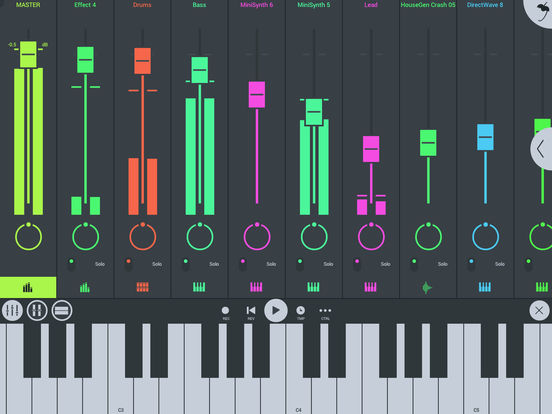
FL Studio Mobile 3 Create and save complete multi-track music projects on your iPad, iPhone or iPod Touch. Record, sequence, edit, mix and render complete songs.

FEATURE HIGHLIGHTS
• High quality synthesizers, sampler, drum kits & sliced-loop beats
• Step sequencer for fast percussion programming
• Configurable virtual piano-keyboard & Drum pads
• MIDI controller support. Play instruments and link to knobs/sliders
• MIDI file import/export (import entire MIDI files, export tracks)
• Audio recording (with monitoring), track-length stem/wav import
• Browse sample and presets with pitchable-preview
• Pan, volume, release and attack time configurable per instrument
• High quality audio engine (input/output latency depends on your device)
• Mixer: Per-track mute, solo, effect bus, pan and volume adjustment
• Effects include: Auto Ducker, Chorus, Compressor, Limiter, Distortion, Parametric Equalizer, Graphic Equalizer, Flanger, Reverb, High-Pass/Low-Pass/Band-Pass/Formant (Vox) Filters, Delays and Phaser to enhance your mix
• Piano roll editor to enter notes & chords or to edit recorded performances
• Intuitive screen layout configurable to work with all screen resolutions and sizes.
• Save and load your songs, import/export to WAV, MP3 & MIDI
• Audiobus support (input & output)
• Inter-App Audio, Audiobus, Audio recording, Instruments and Effects
• Share your songs via Sync to other Mobile 3 devices / installations
• Load your projects in the FL STUDIO* FREE ‘Plugin’ Version of this App#
FL Studio Mobile
I hope this helps you on your hunt for the best iOS DAW. I know it can be a tough decision. Please feel free to contact me with questions or suggestions.