2011
08/23
Electro Music On iPhone
Author View comments Tags Tags: , , , , , , , , , ,

bleep!BOX Electro Music App

Ever want to become an Electro producer? Well it’s pretty simple nowadays if you have an iPhone and this cool little app called Bleep!BOX *also available for the iPad!

bleep!BOX is a drum machine, synthesizer and sequencer for your iPhone, iPad and iPod Touch.

bleep!BOX has NO SAMPLES – every sound is generated in realtime, so you can tweak to your hearts’ content and kiss repetitive, cookie cutter drum beats and loops goodbye. bleep!BOX is not a simple toy – it’s powerful enough for you to make real music. Great for house, hip hop, R&B, electronica, drum’n’bass, trance, techno, IDM and more.

New: You can now take patterns you make on your mobile device and load them up on your desktop using the bleep!BOX Plugin (VST / AU compatible). See our website for details.

bleep!BOX is the mobile app that musicians, DJ’s, and producers have been waiting for. Check it out and see why Computer Music Magazine gave it 5/5 stars!

Looking to try out bleep!BOX? Check out bleep!BOX Player for free, which will let you get a feel for the app without having the full feature set.

bleep!BOX iPhone Performance from White Noise Audio on Vimeo.

Features:

* Works on both iPhone and iPad (with a custom interface on the iPad)
* Audio copying via the General Pasteboard method.
* Realtime processing – NO SAMPLES
* Classic, tweakable x0x drum emulations
* Analog style 2-Osc synths
* 10 parts (voices)
* 50+ Parameters
* Ringmod, FM, PhaseMod, Sync, Distortion
* Global delay FX
* 8 Waveforms
* Tempo, swing, pattern length
* Save patches and presets
* Live performance modes
* Step sequencing + recording modes
* Parameter automation
* Song Mode: make a song from several patterns.
* Record songs or Patterns to .WAV
* VST / AU plugin is available for integration with your DAW (please see our website for details)

bleep!BOX was made by White Noise Audio Software (http://www.whitenoiseaudio.com/), makers of Zero Vector, Additive and Doppelmangler. We have over a decade of experience coding synthesizers and effects!

2011
08/22
Techno Synth For iPad
Author View comments Tags Tags: , , , ,

SoundThingie

SoundyThingie is a true Techno synth for creating minimal Techno loops on the iPad. It is an application that translates drawn lines into music. Additionally to just drawing lines it lets you modify them in a variety of ways, like moving them around or connecting them.

The application starts with an almost entirely black screen, waiting to be drawn onto by you. Each line created results in a sound that is related to the way the line was drawn.

There are only a few principles that make up that sound. Most important are:
– The vertical position of a line determines it’s pitch. Lines at the top of the screen sound high, lines at the bottom sound low.
– Drawing speed determines volume. The faster you draw, the louder a line will be.

Besides that there are many buttons to press and knobs to turn which influence the sounds. You can later change a line’s volume, attach other lines to it, choose from different waveforms.
You can also load and save your work, modify triggers and whatnot.

NOT AVAILABLE

2011
08/22
Fairlight Pro For iOS Devices
Author View comments Tags Tags: , , , ,

Fairlight For iPhone, iPod, and iPad

NOTE: Do not buy this if you have already bought the Fairlight App. Save money by using its in-App upgrade. If you are not sure you want the Pro features, buy the Fairlight App.

Experience music making ‘80s style with this awesome retro app, modelled on the legendary Fairlight Computer Musical Instrument.

Preloaded with 500+ CMI Series II sounds and 100+ Series III sounds, for the first time a byte-perfect re-issue of the classic CMI sounds of the 80s.


This app includes the famous ‘Page R’, which was the world’s first screen-based rhythm sequencer. Today every sampler, digital synthesiser, sequencer and audio workstation can trace its lineage back to this legendary machine.

Now you can make music using tools like those used by artists including Alan Parsons, Jean Michel Jarre, Trevor Horn, Thomas Dolby, Brian Eno, Kate Bush, Peter Gabriel, Stevie Wonder and so many more.

This app is a part midi player, part creative tool and part history lesson – developed by Fairlight staff who worked on the CMI in the ’80s.


FEATURES


- entire original Fairlight CMI IIX Sound library containing 564 voices*

– 100+ selected CMI III sounds 

- play the CMI voices from an external MIDI input (supports Core Midi, Line6 MidiMobilizer or Akai SynthStation), or use the on-screen keyboard*

– Sample your own voices from the microphone or line in, then use them in your compositions

– display voices graphically using the iconic Page D, and change your viewpoint by tilting your iPhone/iPad*

– authentic Fairlight CMI user interface experience, including floppy disk quirks*


- 8 track composition using ‘Page R’ pattern-based sequencer


- create instrument sets that store settings for all 8 channels, including the voices, pitch shifts, volumes, release times etc.

– import/export voices, compositions, MIDI and instruments and exchange with others.

* These features also available on the lower cost ‘Player’ version of the Fairlight App.


Fairlight is available for $49.99

2011
08/22
Easiest Drum App For iPad
Author View comments Tags Tags: , , , , ,

Drum Toy iPad App

Drum Toy by Robby Kilgore

During his misspent youth, Robby was a prominent “session player” performing live and on numerous records with such household names as Steve Winwood, Mick Jagger, James Taylor, Eric Clapton and Cyndi Lauper. He is also a Grammy Award winning composer and producer with several film and television scores to his credit.

Drum Toy uses an admittedly weird drum machine architecture and concept. You create basic loops using Drum Toy’s Every and Offset knobs, and then feather in the secret ingredient: Probability!

In a way, Drum Toy ‘thinks’ the way drummers do. Find the pocket, lay down the main groove and sprinkle lightly with a few tasty fills or variations here and there to keep things fresh. Drum Toy is set up to force certain beats while leaving others to just the right amount of chance. This simple mechanism yields a surprising array of personality.

Drum Toy – the world’s funkiest practice metronome.

2011
08/22
Touchable iPad Ableton Controller
Author View comments Tags Tags: , , , , ,

Control Ableton WIth You iPad

touchAble – control Ableton Live from your iPad

Navigate around your live set with the touch of a finger, tweak Lives mixer, instruments and fx with full automapping and unlimited tracks & parameters.
touchAble allows live users to walk away from their computer and perform live from anywhere within Wi-Fi range while keeping latency at a minimum.
Play your favorite synths with the unique double keyboard or record your rhythms with the 16 drum pads, including 5 velocity steps & octave selectors.
Extend your creativity with the multi dots XY Pad and record, play and morph your mouvements.
Access the most important transport and clip functions without losing focus on your set and tweak the same set with two iPads with the unique Dual-User-Mode.
do you need to adjust volume, launch a new clip and play a device? Don’t worry – a smart and intuitive screen menu empowers the user to arrange and switch modules on the fly.

touchAble does not require any midi-mappings as it uses LiveOSC to communicate directly with the LiveAPI.

Requirements:
Ableton Live 8 with latest update running on a computer on the same WiFi network
Windows XP, Vista, 7 with MIDI-YOKE or similar MIDI-utility installed
Mac OS X 10.5 or newer
touchAbleServer-software from our website www.touch-able.com

Installation could not be any simpler:

– Download touchAbleServer from our website http://www.touch-able.com and install it on your Mac or PC
– Enter your Hosts Ip-Address on your iPad
– Press connect.
– Within a few seconds your set will be ready.

FEATURES:

– Scrollable representation of your Session View in Live
– Clips, tracks & scenes with full color, name and status feedback
– Scalable Clipgrid from 4×2 to 15×8
– Access to arm, solo, mute & stop functions
– Access to Volumes, returns A-D, panning, monitors, resets, master & return volumes of up to 16 tracks at once
– Scared of clipping? Output-meters provide feedback of each tracks/masters/returns output-levels
– Choose between relative / absolute faders

– Access your vsts, audiounits and native live plugins or toggle them on & off from a scrollable overview
– Navigate and control unlimited parameters with bank switches
– Native Templates
– Snap Mode
-Toggle, Multitoggle, Fader & centered Fader available for live and max4live devices
– Never lose a parameter in the heat of a set: parameter name & value feedback directly inside the faders.
– Control 2 devices at the same time

– 128 note velocity sensitive Keyboard
– Perform with 2 keyboards in full screen mode

– 8/16 velocity sensitive Drum Pads with Access to all 128 Sample slots within Live

– 4 dots XY PAD controlling Mixer and Devices parameters including record and playback automations, bouncing ball fx, snapshots, morphing, save function

– Change parameters of clips : pitch, detune, loop, length, position
– Easy access to transport functions: play/stop, record, tempo, midi overdub, cue level, metronome, nudge up/down, midi record and launch quantization

  • iPad Loops is an iOS music-production blog dedicated to highlighting outstanding iPad apps for musicians, producers, and DJs. Rather than cataloging every available app, the site offers carefully selected recommendations based on years of experience in music production.

  • My sounds have been featured in apps including Synth One, EG Segments, Hammerhead, Retronyms AudioCopy, Audio Evolution Mobile, and iMPC Pro. My work has also been published by Roland, Antares, Magix, Soundtrack Loops, Sample Logic, Acoustica, Native Instruments, The GRAMMY Museum, and many others. Jason Donnelly, also known as DJ Puzzle.

  • Subscribe to the RSS feed below to receive updates whenever new apps are featured.

  • As an Amazon Associate, I earn from qualifying purchases.

  • Categories

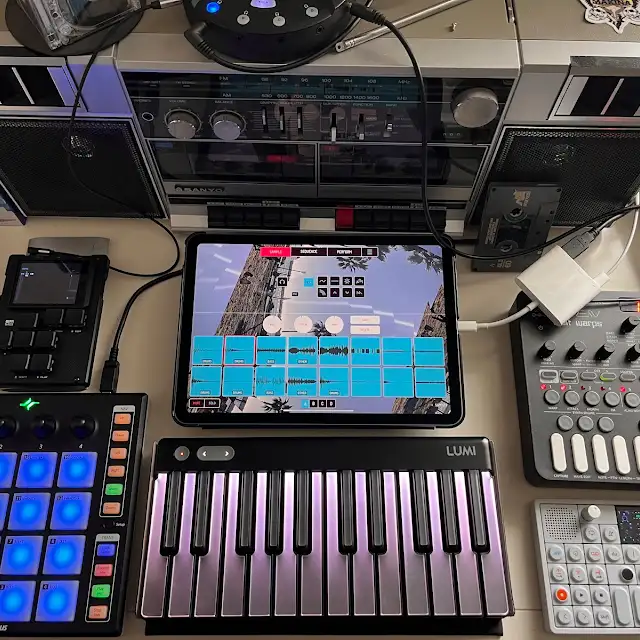
  • My iPad music production studio setup

    IPADLOOPS GEAR PICKS

    Make Music. Make More.

    Discover the gear I recommend for making music with iPad. Controllers, interfaces, headphones and more.

    SHOP MY AMAZON PICKS →

    As an Amazon Associate I earn from qualifying purchases.

  • Archives