
2017
12/14
Electro Swing On iPad With iOptigan
Author View comments Tags Tags: , , , ,

Quick electro swing track in Cubasis using iOptigan as a sample source. Create an audio track in Cubasis and set the input to inter app audio / iOptigan. Hit record. Play your part and now you have a loop.

Apps used:
iOptigan https://itunes.apple.com/us/app/ioptigan/id1143470101?mt=8&at=10laUK

Bismark BS16 (drums) https://itunes.apple.com/us/app/bismark-bs-16i/id388149926?mt=8&at=10laUK

Cubasis https://itunes.apple.com/us/app/cubasis-2/id583976519?mt=8&at=10laUK

AUFX:Push (pumping side chain effect) https://itunes.apple.com/us/app/aufx-push/id958106165?mt=8&at=10laUK

  • iPad Loops is an iOS music-production blog dedicated to highlighting outstanding iPad apps for musicians, producers, and DJs. Rather than cataloging every available app, the site offers carefully selected recommendations based on years of experience in music production.

  • My sounds have been featured in apps including Synth One, EG Segments, Hammerhead, Retronyms AudioCopy, Audio Evolution Mobile, and iMPC Pro. My work has also been published by Roland, Antares, Magix, Soundtrack Loops, Sample Logic, Acoustica, Native Instruments, The GRAMMY Museum, and many others. Jason Donnelly, also known as DJ Puzzle.

  • Subscribe to the RSS feed below to receive updates whenever new apps are featured.

  • Categories

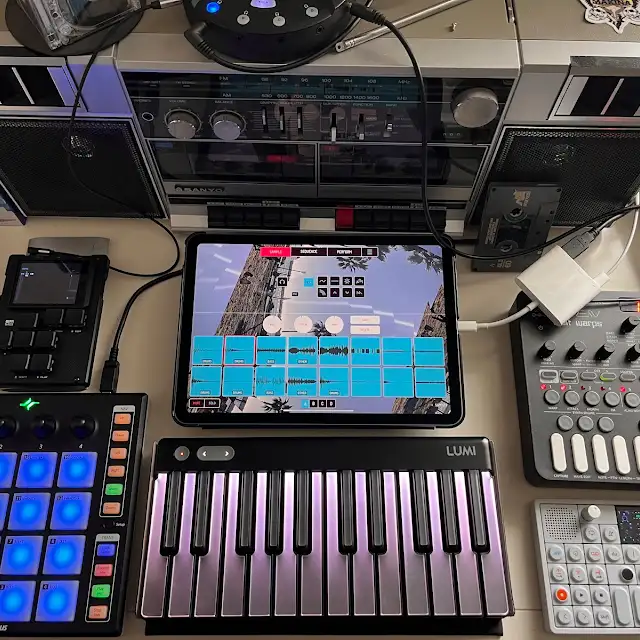
  • My iPad music production studio setup

    IPADLOOPS GEAR PICKS

    Make Music. Make More.

    Discover the gear I recommend for making music with iPad. Controllers, interfaces, headphones and more.

    SHOP MY AMAZON PICKS →

    As an Amazon Associate I earn from qualifying purchases.

  • Archives