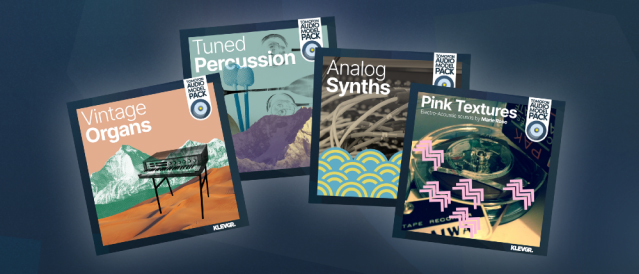
New: Now you can import Model packs into Tomofon! Klevgrand introduces Audio Model Packs for fans of the superbly expressive and innovative Tomofon – Real Audio Synth. Klevgrand’s most ambitious product to date, the uniquely capable Tomofon, is now brought to the next level with the launch of a first line up of Audio Model Packs. These collections of audio models and presets, meticulously handcrafted by the Klevgrand team and by sound designer and recording artist Marie Rose, will most certainly help spice up your compositions and let you further explore the virtual endlessness of Tomofon’s sound-cosmos. This first release includes the extensive organ pack ”Vintage Organs”, the creamy ”Analog Synths” pack, the creative and super inspiring ”Tuned Percussion” and last but not least, the artist
pack ”Pink Textures” by the incredibly talented sound-magician Marie Rose. Installation is a breeze too. Just buy the pack as you would any other Klevgrand product, run the installer and your new audio models and presets will automatically pop up in your Tomofon.
Prices
You can get any of the individual Tomofon Audio Model Packs for $14.99 or save 50% and get the bundle with all four packs for $29.99
Visit the website here https://klevgrand.com/products/tomofon
This unique virtual instrument introduces a new “Audio Model” format, capable of containing thousands of waves extracted from ordinary audio files. These waves – and how they’re structured – lays the ground for how Tomofon generates audio, resulting in a highly flexible and instantly expressive instrument. On one hand it can sound very organic, even lifelike, and on the other, like something out of this world. Whether you want to play around with the Audio Model Starter Pack (instruments & voices) and factory presets, or import your own audio to shape your own unique soundscapes – it is fair to say that you are in for a creative journey.
How does it work?
Tomofon converts audio files into a large set of oscillating waves, which are then mapped into pitch zones where each wave represents one layer (a bit similar to how a sampler structures different velocity zones). The main difference is that since each zone is populated with waves instead of ordinary samples, the synth engine can morph between them (both layers and zones). This makes all transitions between zones and layers continuous and seamless.
Create and share your own unique sounds
A significant feature of this plug-in is that users can import their own audio files and create new and unique Audio Models. Ordinary audio files (preferably with monophonic content) can easily be imported and distributed into different pitch zones over the keyboard range, either automatically or manually. Doing an automatic import is basically a one-click process which instantly results in a proper playable Audio Model. A manual import gives the user full control of which waves should end up in which pitch zone. Last but not least you can easily share your own created Audio Models with others.
Tomofon comes pre-loaded with a pack of 124 Audio Models based on high quality audio recordings of multiple expressions. These models includes several instruments like strings, vocals, brass, woodwind, guitars and more. Along with these models there are over 180 presets to get you going right away. From there on you can venture further and start creating Audio Models based on your own audio files and experiment on the types of sounds they can grow to be.
Features
– Wide selection of factory presets and Audio Models
– Integrated audio sample importer and Audio Model editor
– Pitch and (layer) depth envelopes that can be edited by the user
– Envelope times can be controlled separately via MIDI velocity
– Several LFO:s (including Sample and Hold with randomness)
– Modulation matrix (2 x MIDI CC, Velocity and Keymap)
– Monophonic playback with separate glide times for pitch and velocity
– Polyphonic legato playback where started notes syncs envelopes with currently playing ones
– Up to 4 doubling voices with separate pitch, pan and level
– Filter with modulation possibilities
– Post Reverb, Delay and EQ
Get Tomofon in the appstore HERE